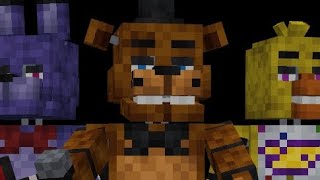
Fnaf Props And Stuff - Minecraft PE Addon
FNAF Mascots and Decorative Blocks
About Fnaf Props And Stuff
The addon adds mascots from the game Five Night At Freddy's[FNAF], as well as decorative and interactive blocks
The addon adds mascots from the game Five Night At Freddy's, as well as decorative and interactive blocks. Perfect for FNAF fans who want to build and decorate with FNAF-themed items.
How to Download & Install
Getting Fnaf Props And Stuff for Minecraft PE is simple:
- Download the App: Get 99 Nights Addons from the App Store
- Browse Addons: Open the app and go to the "Addons" section
- Find the Addon: Search for "Fnaf Props And Stuff" in the collection
- Install: Tap "Install and Open" - the addon will automatically load into Minecraft
- Play: Start a new world or load an existing one - the addon will be active!
Ready to Use Fnaf Props And Stuff?
Download the 99 Nights Addons app and get instant access to this amazing addon!
Download 99 Nights Addons App